 Toolyn
Capture · in the tool list
Copy text from images and the screen
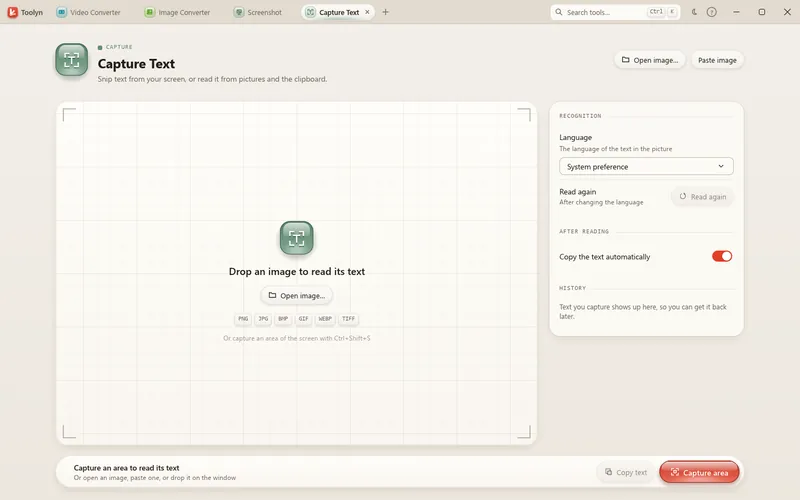
Capture Text reads the text in any part of your screen, in a picture or in a screenshot on the clipboard, using the text recognition built into Windows. Drag over the text and it's ready to copy, with its line breaks kept. For folders of images and scanned PDFs, Extract Text does the same in a batch.
- Works offline
- No uploads
- No account
- No subscription
How it works
4 steps, start to finish.
Snip the text
Drag over any part of the screen (Ctrl+Shift+S), open a picture (Ctrl+O) or paste one (Ctrl+V).
Let Windows read it
Text recognition runs on your PC in the languages Windows has installed.
Use the text
Copy it, save it as TXT, or open it in Text Editor.
Many files at once
Extract Text reads PNG, JPG, WebP, BMP, TIFF, GIF, HEIC and PDF files and saves TXT or Markdown.
What it can do
Image to Text, in detail.
Line breaks kept
Each line it recognizes stays a line.
Copies itself
Switch on “Copy the text automatically” and the text lands on the clipboard.
History
Your last 20 captures stay in the list.
Scanned PDFs
Extract Text reads only the pages that have no text layer yet.
Make PDF Searchable
A separate tool adds a hidden text layer to scanned PDFs so you can search and copy.
Capture Text uses the OCR languages installed in Windows. To add one, open Settings › Time & language › Language & region.
Questions
Image to Text: plain answers.
Which languages can it read?
Every language Windows has OCR installed for. Toolyn uses your system preference unless you pick another.
Is my screenshot uploaded?
No. Windows' own text recognition runs on your PC.
Can I make a scanned PDF searchable?
Yes, with Make PDF Searchable. It leaves pages that already have text alone.
Can it read QR codes?
Not Capture Text, but the QR Code and Camera tools read QR codes from pictures and the camera.
In the same app
Related tools, no extra install.
Image to Text and 68 more tools.
One app for Windows, paid once, with every update included. Nothing you open in it is uploaded.